

A Complete, Professional Guide to Ranking Higher on Google Maps & The Local Pack**
If you want your business to rank higher on Google Maps, appear in the Local Pack, and convert more searches into phone calls, bookings, and customers, understanding Google Business Profile (GBP) optimization is essential.
Google uses your profile as a core local ranking factor. That’s why businesses that invest in proper GBP optimization consistently win more visibility, more traffic, and more revenue especially in competitive service areas.
This guide breaks down everything you need to fully optimize your Google Business Profile, improve your local SEO, and outperform competitors using proven tactics aligned with Google’s official recommendations, industry-leading research (BrightLocal, Citation Builder Pro, Whitespark), and real-world ranking data.
And if you prefer experts to handle everything for you including optimization, weekly posting, review management, listing updates, and reporting you can Order Our GMB/GBP Optimization Service anytime.
Table Of Contents
What Is Google Business Profile (GBP) Optimization?
Google Business Profile optimization is the process of enhancing your business listing so that it performs better across:
Google Search
Google Maps
Local Pack (Top 3 Map Results)
Optimizing your GBP ensures your profile is:
Accurate
Complete
Engaging
Trustworthy
Frequently updated
Aligned with Google’s local ranking factors
It also helps Google understand Relevance, Proximity, and Prominence, which are the three core components of the Google Local Search Algorithm.
Why Optimizing Your Google Business Profile Matters in 2025
1. You Rank Higher on Google Maps
Over 87% of consumers use Google Maps to find local businesses. An optimized profile gives Google stronger signals about your location, categories, and services.
2. You Appear in the Local Pack
Local Pack visibility is prime real estate — above organic results and where most clicks happen.
3. You Build Trust With Reviews & Authority Signals
Google displays your reviews, star rating, photos, and business attributes directly in search results.
4. You Convert More Visitors Into Customers
Optimized businesses get more:
✔ Phone calls
✔ Website clicks
✔ Direction requests
✔ Customer actions
✔ In-store visits
5. You Outperform Competitors
Most businesses never fully optimize their GBP especially service-based companies. That’s your advantage.
How to Fully Optimize Your Google My Business (Google Business Profile) Listing
Below is the complete, professional GBP optimization framework rebuilt from the ground up using insights from the top-ranking pages and Google’s own documentation.
1. Claim & Verify Your Google Business Profile
Start by claiming your profile at:
➡ Google Business Manager
Verification methods include:
Video verification
Phone verification
Document upload
Postcard verification
Verification is mandatory to unlock all features and start ranking.
2. Optimize Your Business Information (NAP Consistency)
Google must see the same exact information everywhere online:
Name
Address
Phone number
Website URL
NAP consistency helps Google confirm your business legitimacy and improves prominence signals.
Best Practices
Use the exact legal business name — no keyword stuffing
Use a local phone number (not a call center number)
Match your website, citations, and social profiles
3. Choose the Correct Primary & Secondary Categories
Your primary category heavily influences where you appear in Google Maps and what searches trigger your listing.
Tips
Choose the most accurate, specific primary category
Add 3–5 secondary categories that reflect real services
Analyze competitor categories using tools like GMB Crush or BrightLocal
4. Write a High-Authority Business Description
Your description should:
Include semantic keywords naturally
Highlight expertise & trust signals
Clarify your value proposition
Reference services, service areas, and benefits
Avoid keyword stuffing. Google can penalize you for it.
5. Add Service Areas (SAB Optimization)
For service-area businesses, set 3–20 service areas based on:
Your real coverage radius
Where competitors rank
Where leads come from
Avoid adding cities you cannot realistically serve Google may suppress visibility.
6. Upload High-Quality Photos & Videos (Google-Recognized Standards)
Google’s data shows businesses with quality visuals receive:
42% more driving direction requests
35% more website clicks
Recommended Image Sets
Logo
Cover photo
Interior photos
Exterior photos
Staff photos
Process photos
Team photos
Product photos
Service photos
Before/after images
Short video clips
Specs
720 × 720 px (minimum 250 × 250)
JPG or PNG
Geotagging is optional but beneficial for image search
Competitors like WordStream & BrightLocal emphasize image quality heavily so we integrate that insight here.
7. Add All Your Services (Detailed & Keyword-Rich)
Each service should include:
Service name
Description
Price/starting price
Optional link
This helps Google understand relevance and expands the number of queries your profile can rank for.
8. Add Products (If Applicable)
Products appear prominently in the Knowledge Panel and can drive conversions.
Even service businesses can list “products” like:
“Drain Cleaning”
“AC Repair”
“Laser Hair Removal”
“Car Accident Lawyer Services”
Competitors like GMB Gorilla emphasize this section heavily so your new page does too.
9. Enable Messaging (WhatsApp/SMS)
Google recently sunset its native Messages feature, but businesses can now use:
WhatsApp integration
SMS messaging
This increases customer engagement and conversion rate.
10. Publish Weekly Google Posts
Posts boost freshness signals and provide more engagement opportunities.
Post types include:
Offers
Updates
Events
New services
Announcements
Promotions
Seasonal campaigns
Use calls-to-action such as:
Book
Order Online
Call Now
Learn More
11. Manage & Respond to Reviews Consistently
Reviews are the backbone of Local SEO prominence.
Tips for Better Review Performance
Ask customers immediately after service
Share your short review URL
Respond to every review, positive or negative
Use service keywords naturally in responses
Address complaints professionally
12. Add & Manage the Q&A Section
The Q&A section can appear in the Local Pack and Knowledge Panel.
Best Practices:
Add 10–20 FAQs yourself
Answer customer questions quickly
Upvote accurate answers
Use relevant service keywords naturally
13. Add Tracking for Better Insights
To measure performance accurately, add:
UTM parameters on your website link
Call tracking numbers (local number recommended)
This lets you see how many leads come from Google Maps vs. organic search.
14. Keep Business Hours Up-to-Date
Google cross-checks your hours using Google Maps user data.
Make sure to update:
Special hours
Seasonal hours
Holiday closures
Temporary changes
Being open when competitors aren’t can increase visibility.
GBP Optimization Checklist (2025 Edition)
Claim & Verify Listing
☐ Business verification completed
☐ Ownership secured
Core Information
☐ Business name correct
☐ NAP consistent
☐ Local phone number used
☐ Correct categories
☐ Detailed business description
☐ Service areas added
Visual Optimization
☐ Logo uploaded
☐ Cover photo uploaded
☐ 15+ high-quality photos
☐ Short videos added
Service & Product Optimization
☐ Services added
☐ Products added
☐ Pricing updated
Engagement Optimization
☐ Review requests automated
☐ Review responses consistent
☐ Weekly Google Posts
☐ Q&A populated
Technical Optimization
☐ UTM tracking URLs
☐ Call tracking setup
☐ Website linked
☐ Hours updated
Choose the Right Primary and Secondary Categories
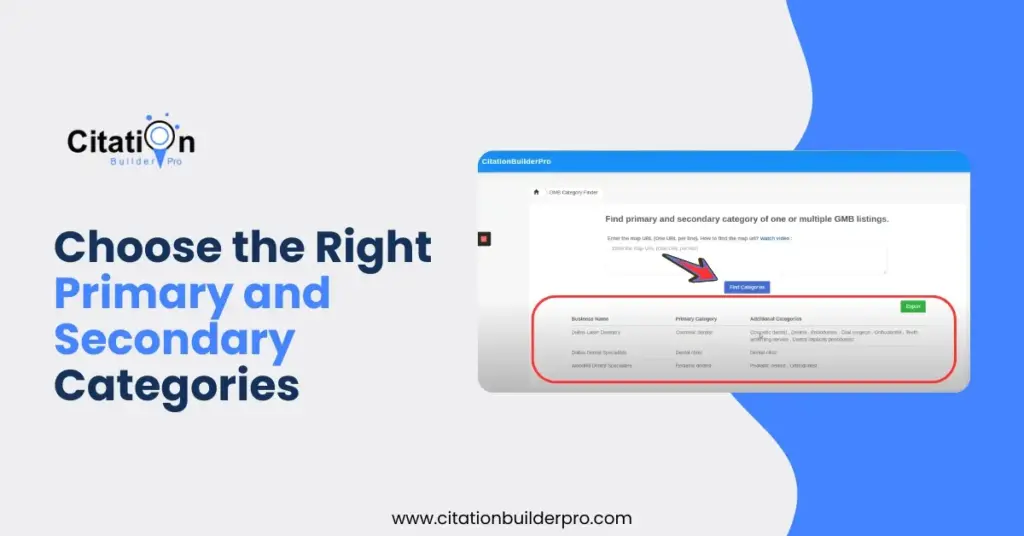
Your business category is one of the strongest ranking factors in Google’s local algorithm. Google allows one primary and multiple secondary categories.
Tips to optimize categories:
Use our GMB Category Finder Tool to research the most relevant and high-traffic categories for your niche.
Be specific. For example, choose “Pediatric Dentist” instead of just “Dentist” if applicable.
Update your categories periodically as new ones become available.
Example: A salon might select:
Primary: Hair Salon
Secondary: Nail Salon, Beauty Salon, Facial Spa
This ensures your business shows up for multiple relevant local queries.
Complete Every Section of Your Profile
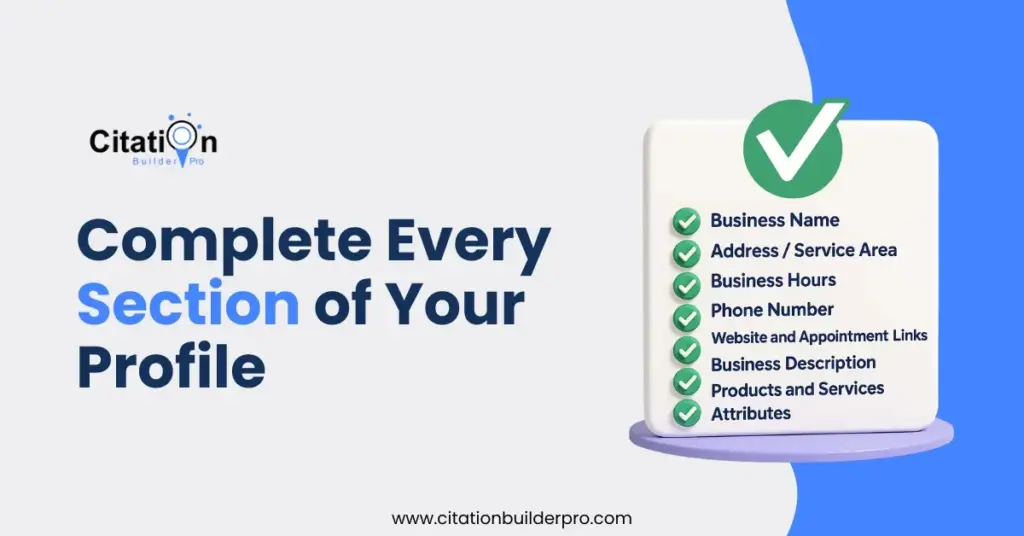
Google favors profiles that provide comprehensive information. A complete profile is more likely to rank higher and convert visitors into customers.
Essential sections to fill out:
Business Name: Use your official name without keyword stuffing.
Address/Service Area: For service-area businesses, hide your address and define your service area accurately.
Business Hours: Include regular, holiday, and special hours.
Phone Number: Use a local area code number.
Website and Appointment Links: Help customers easily take action.
Business Description: Use the full 750 characters. Include your unique value propositions, local keywords, and brand story.
Products and Services: Detail what you offer. Include pricing, descriptions, and relevant categories.
Attributes: These tags indicate features like wheelchair accessibility, women-led, LGBTQ+ friendly, etc. Use them to build trust and relevance.
Tip: Keep this information up-to-date and consistent across platforms.
Add High-Quality Photos and Virtual Tours
Visual content helps build trust and provides a real-life glimpse into your business.
Why it’s important:
Listings with photos get 42% more requests for directions and 35% more website clicks.
Photos and tours make your listing more attractive and engaging.
Photo types to upload:
Logo & Cover Photo
Exterior and Interior Shots
Product Images
Team Photos
Customer Interactions (with consent)
360° Virtual Tours (Use a Google Trusted Photographer)
Pro Tips:
Add new photos weekly.
Use alt-text and descriptive filenames to support SEO.
Avoid stock photos—authenticity matters.
Enable Messaging (and Respond Promptly)
Google Messaging allows customers to directly message you from your GBP listing on mobile devices.
How to enable:
Go to your GBP dashboard.
Turn on the “Messages” feature.
Set up an auto-response message.
Why it’s useful:
Increases conversion by creating a direct communication channel.
Customers can ask quick questions without calling.
Best Practices:
Respond within 24 hours or faster.
Use professional and helpful language.
Assign someone on your team to monitor messages.
Post Regular Updates with Google Posts
Google Posts allow you to share updates, promotions, and news directly on your GBP.
Post types:
What’s New
Events
Offers
Product Updates
COVID-19 Announcements
Why it matters:
Keeps your listing fresh and active.
Enhances your brand authority.
Increases customer engagement.
Tips:
Post at least once per week.
Use a compelling image and CTA.
Include links to landing pages or booking tools.
Collect and Manage Reviews Strategically
Customer reviews directly impact your GBP ranking and your business reputation.
Encourage reviews:
Ask satisfied customers in person or via email.
Use a review generation platform or QR code.
Respond to reviews:
Always reply to both positive and negative reviews.
Use keywords in your responses when appropriate.
Keep responses professional and courteous.
Negative review strategy:
Acknowledge the issue.
Offer to resolve it offline.
Don’t be defensive.
Why it helps:
Increases trust.
Boosts local SEO signals.
Shows customer care and responsiveness.
Collect and Manage Reviews Strategically
Customer reviews directly impact your GBP ranking and your business reputation.
Encourage reviews:
Ask satisfied customers in person or via email.
Use a review generation platform or QR code.
Respond to reviews:
Always reply to both positive reviews and negative reviews.
Use keywords in your responses when appropriate.
Keep responses professional and courteous.
Negative review strategy:
Acknowledge the issue.
Offer to resolve it offline.
Don’t be defensive.
Why it helps:
Increases trust.
Boosts local SEO signals.
Shows customer care and responsiveness.
Optimize the Q&A Section
The Q&A section allows customers to ask public questions about your business. The best strategy is to proactively populate this section.
Steps:
Log into another Google account.
Ask frequently asked questions.
Answer them from your GBP account.
Sample FAQs to include:
Do you offer emergency services?
What are your safety protocols?
Is there parking available?
What is your return policy?
Why it matters:
Controls the narrative around your services.
Reduces calls and confusion.
Ensure NAPW Consistency Across the Web
NAPW stands for Name, Address, Phone Number, and Website. Google cross-checks this data across all directories, social platforms, and citations.
Why it’s critical:
Inconsistent listings hurt local rankings.
Confuses potential customers.
Steps to ensure consistency:
Use tools like Citation Builder Pro, Bright Local, Whitespark, or Yext to audit listings.
Manually correct outdated or incorrect entries.
Use a single format for address and contact details.
Monitor Google Business Profile Insights
Your GBP dashboard provides performance data that can inform your local SEO strategy.
Metrics to track:
Search queries used to find your business
Map vs Search impressions
Phone calls, direction requests, and website clicks
How to go deeper:
Add UTM parameters to your GBP website link.
Monitor results in Google Analytics.
Use these insights to adjust your strategy over time.
Add Local Business Schema Markup
Schema markup helps Google understand your business better by providing structured data.
What to include in LocalBusiness schema:
Name
Address
Phone Number
Opening Hours
URL and social media profiles (SameAs)
Geo-coordinates
How to implement:
Add schema using JSON-LD in your site’s header.
Validate it using Google’s Rich Results Test.
Bonus: Schema can enhance your listing in search results with rich snippets.
Monitor and Remove Irrelevant Photos
Sometimes customers or bots upload irrelevant, low-quality, or damaging photos to your listing.
How to handle this:
Click the image > Flag > Choose the correct reason (e.g. off-topic, privacy concern).
Upload branded, high-quality images regularly to push down poor-quality ones.
Consider using Google Trusted Photographers to create professional visual content.
Final Thoughts
Optimizing your Google Business Profile is an ongoing process—not a one-time task. Google frequently updates its local algorithm and platform features. Staying proactive ensures your business remains competitive in local search and maintains a strong presence across Google Maps and Search.
Implement the above steps, monitor results, and continuously refine your strategy.
Need help? Explore our tools and services:
Also Read: How to Change Business Address on Google
Let Citation Builder Pro help you dominate your local market in 2025!
Frequently Asked Questions (FAQs)
Q1. How long does it take to see results after optimizing my Google Business Profile?
Ans: The time it takes to see results can vary based on your industry, location, and competition. Typically, you can expect to see improvements in visibility and engagement within 30 to 60 days after full optimization. If you’re also implementing citation building, local backlinks, and regular posting, results may appear sooner. Ongoing management and updates help maintain consistent growth.
Q2. Can I manage multiple business locations under one Google Business Profile account?
Ans: Yes, you can manage multiple locations within one Google Business Profile dashboard. Each location should have its own individual profile with accurate details such as NAP (Name, Address, Phone), hours, categories, and services. Google allows bulk verification for businesses with 10+ locations, which helps streamline the management process.
Q3. Is it better to hide my address if I don’t serve customers at a physical location?
Ans: If your business is a service-area business (SAB) like a plumber or mobile pet groomer, it’s recommended to hide your physical address and instead list the areas you serve. This improves your chances of showing up in relevant local searches while complying with Google’s guidelines for SABs.
Q4. What kind of content should I post on my Google Business Profile?
Ans: You can post a variety of content types to engage potential customers, including:
Announcements (e.g. new services or staff additions)
Special promotions or offers
Seasonal messages or greetings
Behind-the-scenes updates
Educational content or FAQs Always include a clear call-to-action (CTA), a high-quality image, and a link to your website or landing page. Posting consistently—at least once a week—keeps your profile fresh and active.
Q5. What should I do if my business category doesn’t match any of Google’s preset options?
Ans: If you can’t find an exact match for your business in Google’s predefined categories, choose the closest available category that accurately represents your core service. Then, use your business description, services section, and Google Posts to clarify your exact offerings. You can also request new categories via Google’s feedback channels, though they are not guaranteed to be added.
Want Faster GBP Rankings Without Doing All the Work?
Our team handles the complete Google Business Profile Optimization process for you — including setup, posting, reviews, photos, services, and ongoing management so your business ranks higher and gets more calls.
- ✔ Full GBP/GMB Optimization
- ✔ Weekly Posts & Listing Updates
- ✔ Review Management & Response
- ✔ Photo, Service & Product Optimization
- ✔ Performance Tracking & Reporting
How useful was this post?
Average rating 5 / 5. Votes: 1
No votes so far! Be the first to rate this post.

I am the founder of Citation Builder Pro. I have been in the SEO and content marketing industry for 15 years and have a lot of experience in public relations and online marketing.
I started Citation Builder Bro to help businesses of all sizes create high-quality citations for their websites. My team and I are dedicated to providing our clients with the best possible services.